eSIM
Are eSIMs Safe? Security, Risks & What Travelers Should Know [2026]
Everything you need to know about eSIM safety, from SIM swap protection to secure connectivity abroad.
TL;DR:
- Yes, eSIMs are generally safe and often more secure than traditional SIM cards.
- They reduce risks like theft or physical tampering.
- However, they are still vulnerable to online threats like phishing or account takeover.
- Choosing a trusted provider (like Nomad eSIM) and following basic security practices is key.

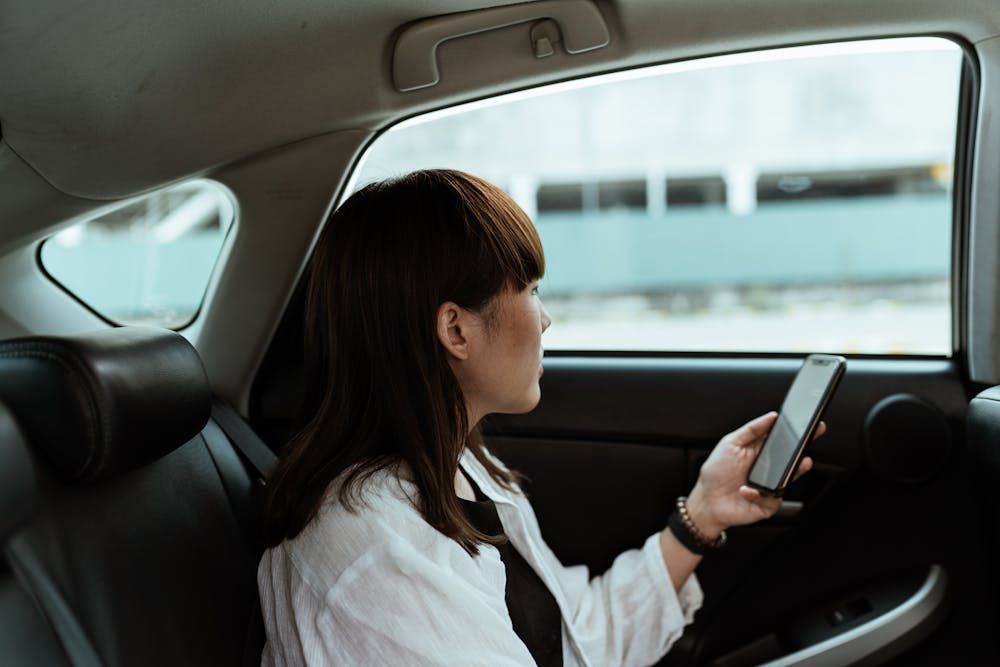
Staying secure while traveling is crucial. eSIM technology offers enhanced mobile security, protecting your data from common travel threats. This guide compares eSIM and physical SIM security, focusing on how to protect your mobile data from hacks and other threats while traveling. If you’re new to the concept, you may want to start with our primer: What is an eSIM?
Are eSIMs safe to use?
Yes, eSIMs are considered safe for everyday use, including international travel.
They use the same telecom infrastructure as traditional SIM cards but with added security layers such as encryption and remote provisioning.
In fact, many would consider eSIMs as safe or safer than physical SIMs.
Are eSIMs more secure than physical SIM cards?
In many ways, yes.
Why eSIMs can be safer:
- No physical card → can’t be lost, stolen, or swapped
- Harder to clone than traditional SIMs
- Remote management adds secure activation controls
Because the SIM is embedded in your device, it eliminates common risks like SIM card theft or unauthorized physical access.
Can eSIMs be hacked?
Despite enhanced security, eSIMs are not immune to cyber threats. Common risks include:
- SIM Swap Attacks: Criminals manipulate carriers to transfer your number, intercepting communications and bypassing SMS-based 2FA.
- Social Engineering & Phishing: Hackers impersonate carriers to trick users into revealing credentials, facilitating unauthorized eSIM transfers.
- Carrier System Vulnerabilities: Compromised carrier systems could allow hackers to activate an eSIM on their device using a stolen number, with severe consequences.
- Malware & Device Exploits: Malware can manipulate eSIM settings, intercept messages, or compromise linked accounts via malicious apps, phishing links, or software vulnerabilities.
What are the main security risks of using eSIM?
1. Account takeover (SIM swap attacks)
Hackers may attempt to trick your carrier into transferring your eSIM to another device.
2. Phishing and scams
Fake emails or messages may try to steal login details or QR codes.
3. Data privacy and routing
Some travel eSIM providers route traffic through multiple countries or third-party networks, which can impact privacy.
4. Untrusted providers
Low-quality providers may have weaker security, unreliable infrastructure, or unclear data practices.
👉 In practice, the provider you choose matters more than the technology itself
Are eSIMs safe for international travel?
Yes, and often safer than alternatives.
eSIMs are widely used for travel because:
- you don’t need to handle physical SIM cards
- there’s less risk of losing or damaging your SIM
- setup happens over secure digital channels
👉 Bonus: While eSIMs reduce your dependence on hotspots, sometimes Wi-Fi is unavoidable. Check out our guide to staying safe on public WiFi for extra tips.
How to use eSIM safely
To stay secure while using an eSIM:
- Use a trusted provider (e.g. Nomad eSIM)
- Enable two-factor authentication (2FA) on your accounts
- Set a PIN or password with your carrier
- Avoid clicking suspicious links or installing unknown apps
- Use a VPN on public WiFi for extra protection
Conclusion
eSIM technology significantly enhances mobile security for travelers. It mitigates physical vulnerabilities, combats SIM swapping, and provides secure connectivity. Combined with diligent cybersecurity practices, eSIMs transform your smartphone into a more secure travel companion, ensuring safe and seamless connectivity wherever your adventures lead. Embrace eSIMs for a safer travel experience.
For a broader view of online safety, don’t miss our full checklist of best practices for secure internet use while overseas.

Frequently Asked Questions (FAQs) about eSIM safety
Is an eSIM more secure than a physical SIM?
Yes, eSIMs are generally more secure because they cannot be physically removed, lost, or cloned like traditional SIMs. However, they are still vulnerable to digital threats such as SIM swap attacks and phishing scams. To enhance security, always use strong passwords, enable two-factor authentication (2FA), and secure your carrier account with a PIN or passphrase.
Is eSIM safer than roaming or public WiFi?
eSIM is generally safer than public WiFi, but security still depends on the network and your usage habits.
Can eSIMs be hacked like traditional SIM cards?
While eSIMs cannot be physically cloned, they are still vulnerable to digital attacks, including SIM swap fraud, phishing, and breaches at the carrier level. Hackers may attempt to trick your carrier into transferring your eSIM profile to another device. To safeguard your eSIM, ensure your carrier account is secure, activate 2FA, and be cautious when sharing personal information online.
How do I know if my eSIM has been compromised?
If your eSIM has been compromised, you might notice unusual activity on your phone, such as unexpected messages or calls, or your phone may suddenly lose service or act erratically. If you suspect any unauthorized activity, immediately contact your carrier to report it. They can assist in identifying potential breaches and take steps to protect your account.
Can someone remotely steal my eSIM information?
While difficult, hackers may attempt to steal eSIM data through phishing or social engineering. Avoid sharing personal details over email or phone, verify carrier requests, and enable security features like 2FA and strong passwords to prevent unauthorized access.
What should I do if my carrier allows an unauthorized eSIM swap?
Immediately contact your carrier to report the unauthorized swap and request a security review. Remove the compromised eSIM, activate a new one, and update passwords for sensitive accounts. Monitor your financial transactions and online accounts for any unusual activity. Also, set up additional security measures, such as stronger account PINs and multi-factor authentication (MFA), to prevent further breaches.
Are there extra security settings I can enable on my phone?
Yes, you can enhance your phone’s security by enabling biometric authentication (Face ID or fingerprint recognition) and using a strong PIN or password. Always use app-based 2FA instead of SMS, set a security PIN for your carrier account, and ensure your device’s software is always up-to-date. Avoid managing eSIM profiles on public Wi-Fi networks, and consider using a VPN to encrypt your internet connection when accessing sensitive carrier portals.