eSIM
eSIM Installation vs Activation: What’s the Difference?
Confused about eSIM installation vs activation? Learn the difference, when each happens, and how to set up your eSIM correctly before your trip.
TL;DR:
- Installation means adding the eSIM to your phone (via QR code or app).
- Activation is when your data plan starts working.
- You can install your eSIM anytime, but it usually activates when you connect to a network at your destination.
- Most travelers should install before their trip and activate on arrival.

What’s the difference between eSIM installation and activation?
Short answer:
- Installation = setup
- Activation = when your plan starts working
This is one of the most common points of confusion.
Installing your eSIM does not mean it’s active yet.
What is eSIM installation?
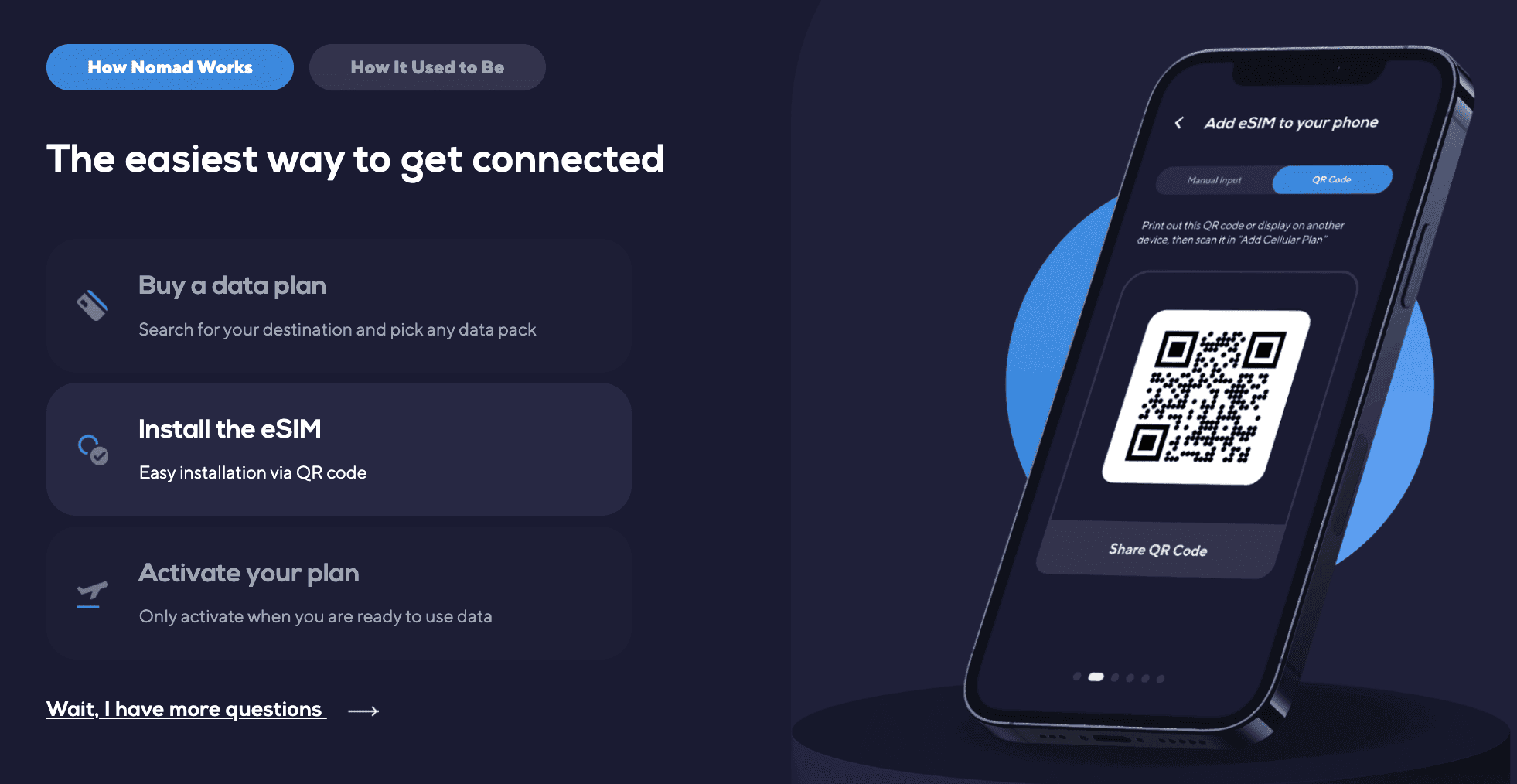
eSIM installation is the process of adding your eSIM profile to your device.
This usually involves:
- scanning a QR code
- installing via an app (e.g. Nomad eSIM)
- downloading the eSIM profile onto your phone
Key things to note for installation:
- requires an internet connection (WiFi or data)
- only needs to be done once
- does not start your data plan
What is eSIM activation?
eSIM activation is when your data plan starts working.
This typically happens when:
- your eSIM is turned on
- your device connects to a supported network
- your plan begins based on provider rules
In most travel scenarios:
- you install before your trip
- your eSIM activates when you arrive and connect to a local network
When should I install and activate my eSIM?
Recommended setup:
- Install: before your trip (while you have stable WiFi)
- Activate: when you arrive at your destination
Why this works:
- installation requires internet
- activation depends on local network connection
Installing early ensures you’re ready to connect as soon as you land.
Does eSIM activate automatically?
In most cases, eSIM does not activate immediately upon installation. It usually activates when your device connects to a supported network.
Most travel eSIMs (including Nomad eSIM):
- activate automatically when your device connects to a supported network
- do not require manual activation
However, some providers may require:
- tapping “Start” in an app
- manually enabling the eSIM
Always check your provider’s instructions.
Why is my eSIM not activating?
This is a common issue and usually easy to fix.
Common reasons:
- You’re not in the destination country yet
- Data roaming is turned off
- Your eSIM is not selected for mobile data
- Your phone hasn’t connected to a supported network
👉 Important: Seeing the eSIM in your phone settings means it is installed, not necessarily activated.
How do I know if my eSIM is activated?
Your eSIM is activated when:
- you see signal bars for the eSIM
- mobile data is working
- you can browse or use apps without WiFi
If your eSIM shows up but has no connection, it may still be inactive.
What should I do after installing my eSIM?
After installation:
- turn on your eSIM in settings
- set it as your mobile data line
- enable data roaming
Once you arrive, your eSIM should connect automatically.
Can I install an eSIM without activating it?
Yes. You can install your eSIM days or weeks in advance and keep it inactive until your trip
Activation usually only happens when you connect to a supported network or manually start the plan (depending on provider).
How to activate a Nomad eSIM?
If you got a travel eSIM from Nomad, you would have received an email containing instructions of how to install and activate your eSIMs. Alternatively, you can check the Manage page on your app. If your eSIM requires you to manually activate your eSIM, you will see an 'Activate' button.

Frequently Asked Questions (FAQs)
Does installing an eSIM start the plan?
No. Installation only sets up the eSIM. Activation starts the plan.
Do I need to be in the destination country to activate my eSIM?
In most cases, yes. Many travel eSIMs activate only when connected to a local network.
Can I activate my eSIM later?
Yes. You can install it early and activate it when you’re ready to use it.
Why is my eSIM not working after installation?
It may not be activated yet. Check your settings, ensure roaming is on, and confirm you’re connected to a supported network.